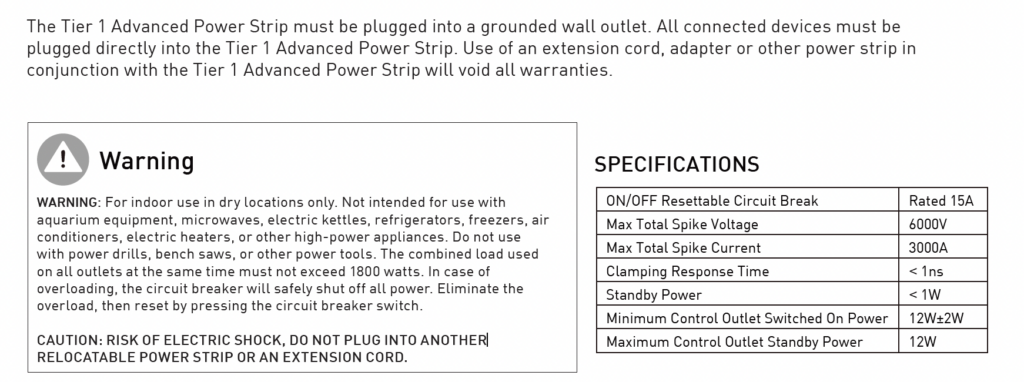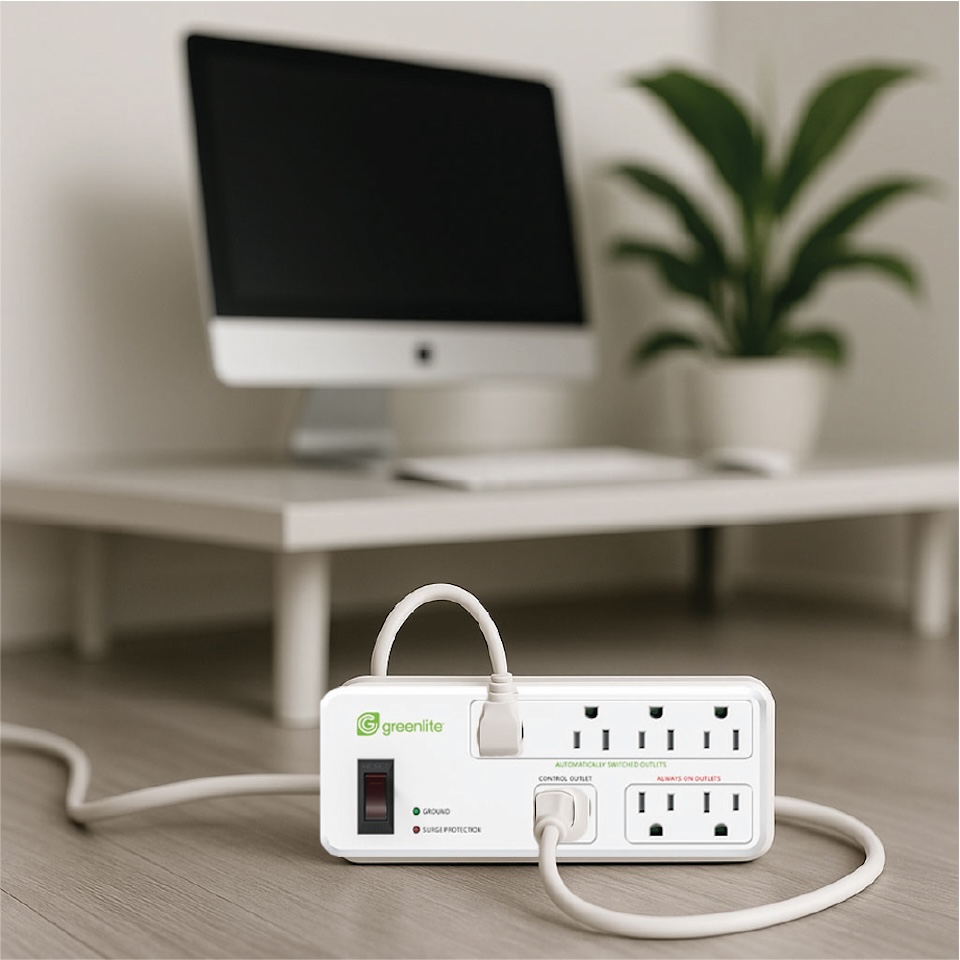
Everything you need to use your Advanced Power Strip with confidence
Our Tier 1 Advanced Power Strip Models
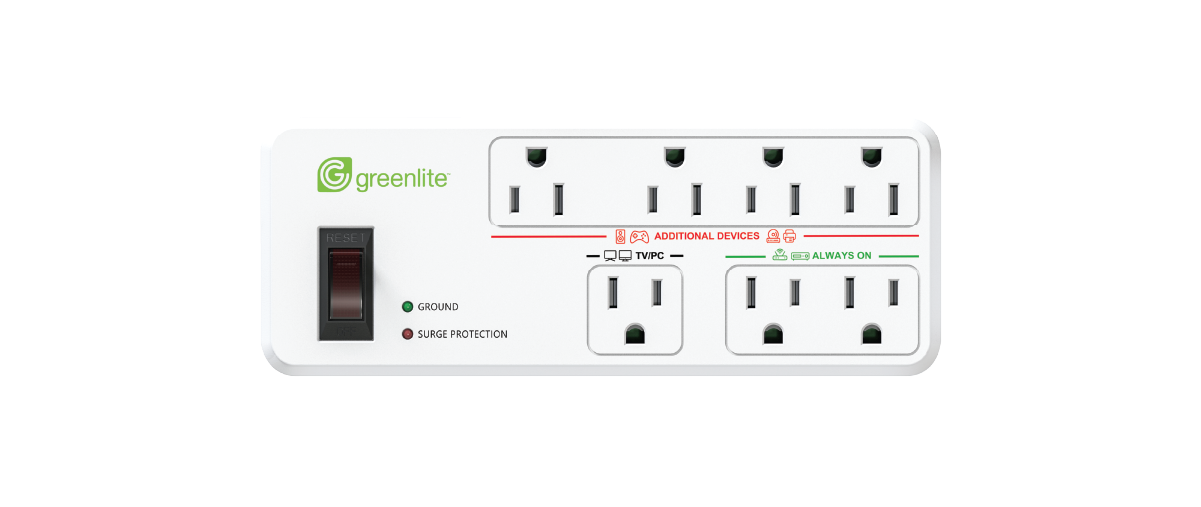
Compact 7 Outlet
A space-saving and more compact version of our full-sized 7 Outlet APS.
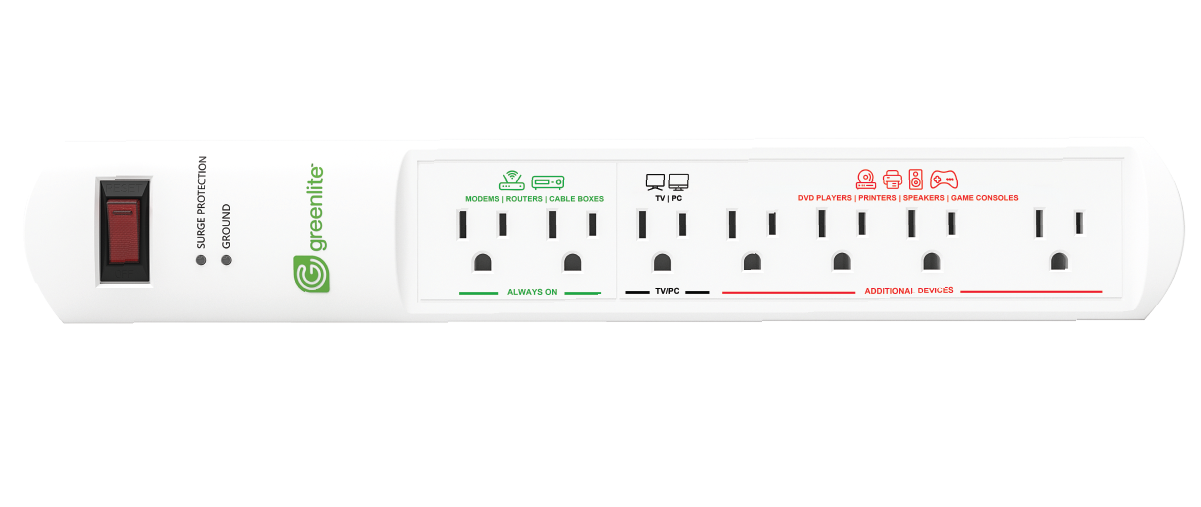
7 Outlet
Our original 7-outlet APS perfect for home entertainment and office setups.
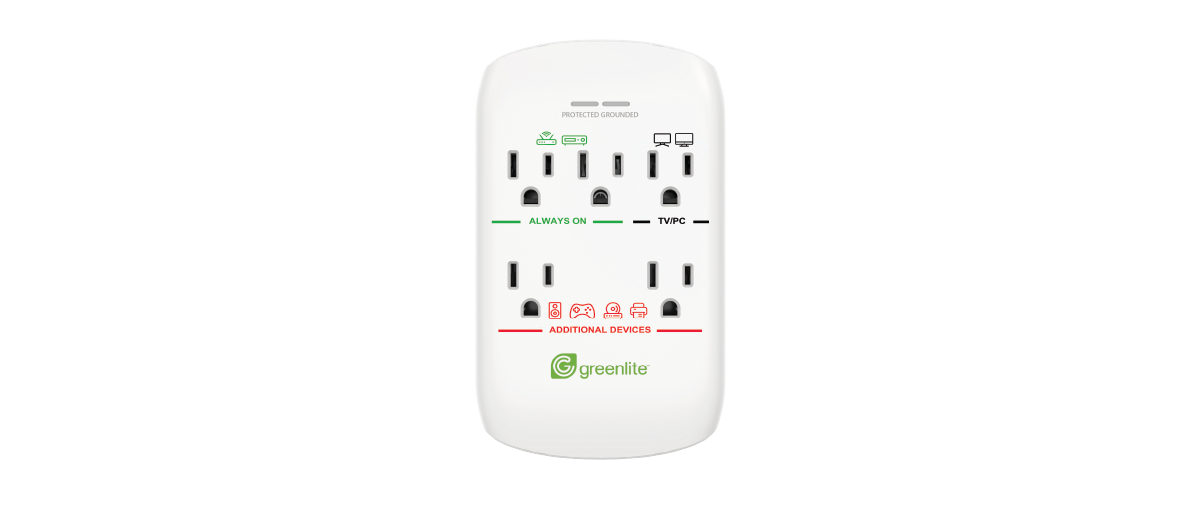
5 Outlet
Perfect for small spaces, this 5-outlet APS plugs directly into the wall to keep cords neat and organized.
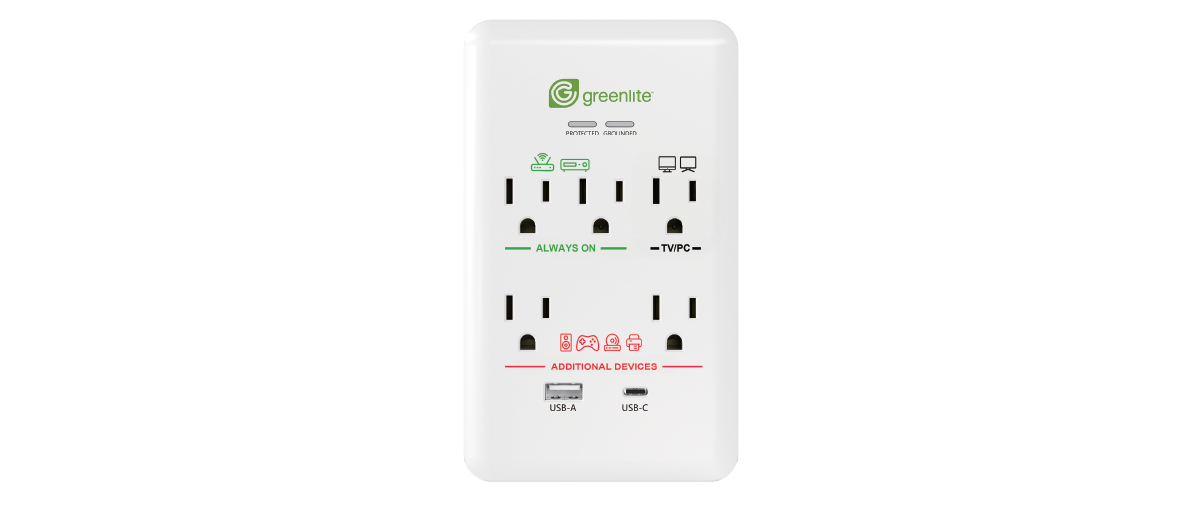
5 Outlet + USB
This 5-outlet APS plugs into the wall to keep cords tidy, with USB-A/USB-C charging.
What plugs in where?
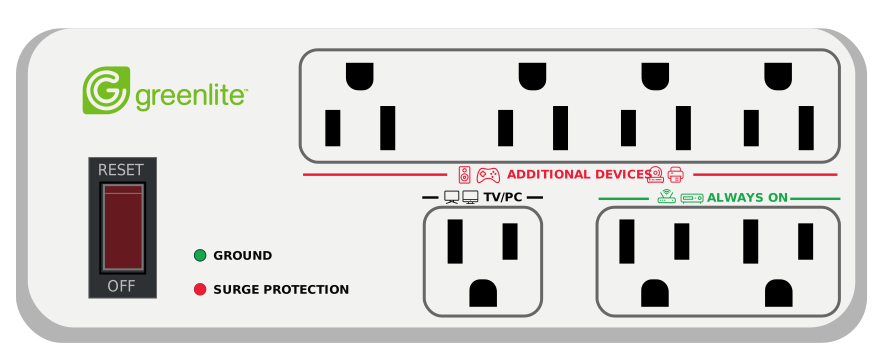
Green Outlets
Plug in devices that should always stay powered on, like a modem, router or cable box.
Black Outlets
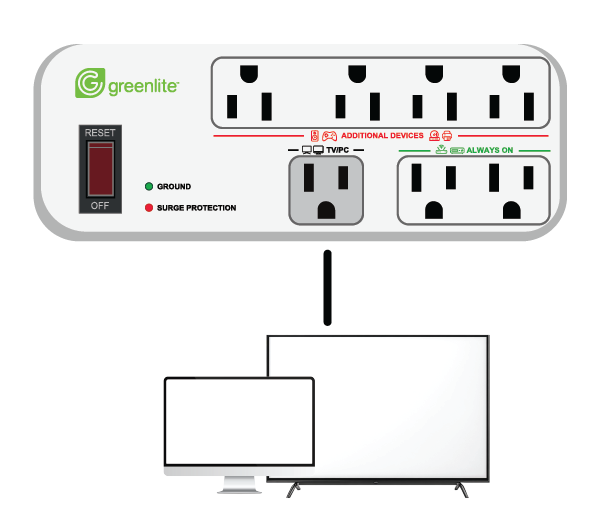
Devices plugged here will control the devices plugged into the red outlets. So plug in your TV or PC here.
Red Outlets
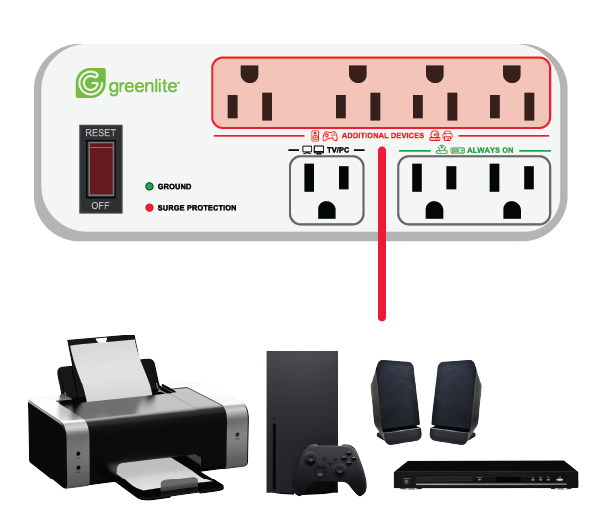
Devices plugged here will turn on and off with the device plugged into the black outlets. Plug in extra devices like speakers, printers, game consoles etc..
Outlets Explained
Hover (desktop) or tap (mobile) the green indicators
Using your APS in 3 easy steps!
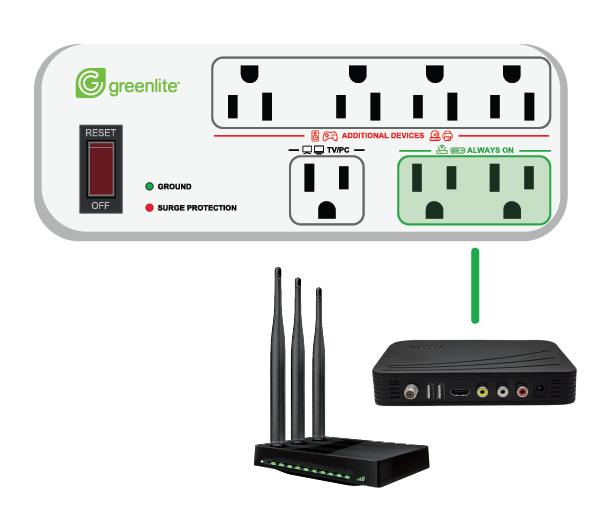
Step 1
Plug in devices that must always stay powered on in the always on outlets (modem, router, cable box).
Step 2
Plug your TV or PC into the TV/PC outlet.
Step 3
Plug accessories into the additional devices outlets. These devices will switch on and off automatically with the TV or PC.
Turn the computer ON and OFF to see what devices turn on.
Watch the Video
When watching this video, please note that we have changed the labels on the device itself:
“Control” = “TV/PC”
“Switched” = “Additional Devices”
“Always On” = “Always On”
Instructions
FAQs
What is an Advanced Power Strip and how does it save energy?
Many electronics continue to draw power even when they’re turned off — this is called standby or “phantom” power. An Advanced Power Strip (APS) helps stop that waste. You plug your TV or computer into the TV/PC outlet, and plug accessories like speakers, DVD players, or gaming consoles into the Additional Devices outlets.
When your TV or PC turns off, the APS automatically shuts off power to those accessories, so they’re not running when you’re not using them. This saves energy and helps reduce your electricity bills — without you having to think about it.
How do I know which device plugs into which outlet?
We’ve clearly labeled the APS for just that reason. Follow the icons and text to know what plugs where.
TV/PC:
Plug your TV or PC here. Devices plugged here control the Additional Devices outlets.
Additional Devices:
Plug in accessories like speakers, game consoles, or DVD players. These devices will automatically turn off and on when the device plugged into your TV/PC outlet turns off and on.
Always On:
Use these outlets for devices that must stay powered on, like a modem, router, or cable box. They will not turn off automatically.
What devices should go in the Always On outlets?
Plug in anything that must stay powered on — modem, cable box, or router.
Why did my speakers/console turn off when I turned off my TV?
That’s the APS doing its job! Devices in the Additional Devices outlets will automatically shut down to save energy when your TV/PC outlet (main device) powers off.
Will this strip protect my electronics from surges?
Absolutely. The APS includes built-in surge protection to keep connected devices safe from power spikes.
How do I reset the strip if something isn’t working correctly?
Turn off the strip’s power switch and unplug it for 10 seconds, then reconnect and restore power.
Can I use this with a computer or television setup?
Yes — it’s ideal for home offices and entertainment. Plug your computer or television into the TV/PC outlet and printers, monitors, game consoles, speakers, and any peripheral devices into the Additional Devices outlets.
What is standby/phantom power?
Standby power (also called “phantom power”) is the electricity wasted by devices that stay on even when you think they’re off — like game consoles, streaming boxes, and chargers left plugged in. By using an advanced power strip you can save money and energy!
Why aren’t my accessories turning off?
There are a few common reasons:
-
The main device isn’t plugged into the “TV/PC” outlet
-
The APS can only detect when your TV or computer turns off if it’s plugged into the TV/PC outlet.
-
-
Accessories are plugged into the wrong outlets
-
Devices you want to auto-shut must be plugged into the Additional Devices outlets.
-
Items that always need power (modem, router, cable box) should go in Always On outlets — if they’re not, they may prevent power shut-off.
-
-
Your TV or computer may not fully power down
-
Some TVs and PCs stay in standby mode, which can keep accessories powered. Try turning the device fully off or adjusting sleep settings.
-

Still need help?
📧 Email Support:
info@greenliteusa.com
📞 Phone Support:
1-844-695-9090
Monday – Friday:
9:00 AM to 5:00 PM (EST)
Warranty Information
LIMITED WARRANTY: Greenlite Advanced Power Strips are warranted to be free from defects in workmanship and material for 2 years. If it fails to do so, Greenlite™ will at its election, provide a replacement or equivalent upon receipt of the register receipt and proof of purchase. Please visit www.greenliteusa.com to find out how to initiate a warranty claim. For all customer service queries, please contact our customer service team, Monday-Friday at info@greenliteusa.com or call 1-844-695-9090 from 9:00 AM to 5:00 PM (EST). This limited warranty does not cover fixtures subject to accident, neglect, abuse, misuse or acts of God. Replacement or refund is your sole remedy.
CAUTION